
Alexa Keeps Disconnecting? Here’s How to Fix It (Complete Guide 2026)
Alexa Keeps Disconnecting? Understanding the Real Reasons Behind Frequent Wi-Fi Drops
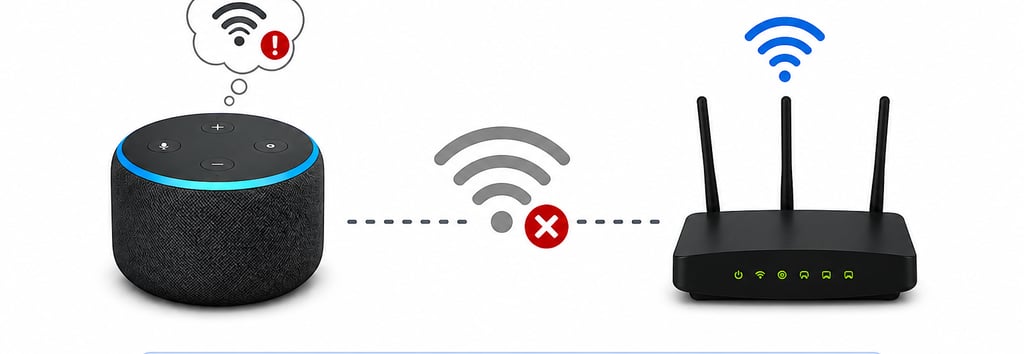
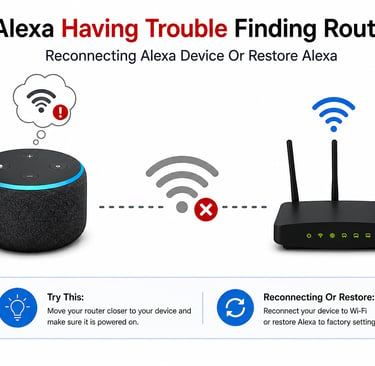
Alexa Keeps Disconnecting? Understanding the Real Reasons Behind Frequent Wi-Fi Drops
Smart speakers have become a normal part of everyday life. Whether it’s playing music, controlling lights, setting reminders, or answering quick questions, many users rely on Alexa-enabled devices throughout the day. But one issue continues to frustrate a large number of users: Alexa repeatedly disconnecting from Wi-Fi.
The problem may appear randomly at first. One moment everything works normally, and the next moment Alexa suddenly stops responding, appears offline in the app, or reconnects after several minutes. In some homes, the issue happens only once in a while. In others, it becomes a daily interruption.
What makes the situation frustrating is that the issue often does not come from a single source. Wi-Fi stability depends on several connected factors including router quality, signal strength, internet provider reliability, and even the placement of devices inside the home.
This guide explores the most common reasons why Alexa devices disconnect repeatedly and what users should understand before trying to resolve the issue.
This website is independently operated and provides free informational content for users experiencing common smart device issues. We are not affiliated with Amazon or Alexa.
Why Alexa Disconnects More Often Than Other Devices
Many users notice something interesting during troubleshooting. Their phone, TV, or laptop may continue working normally while Alexa disconnects repeatedly. This creates the impression that the smart speaker itself is defective.
In reality, smart speakers maintain constant low-latency communication with cloud servers. Unlike devices that occasionally access the internet, Alexa remains continuously connected in the background. Because of this, even small interruptions in network stability become much more noticeable.
A connection fluctuation that goes unnoticed on a smartphone may immediately affect Alexa’s responsiveness.
This is one reason why smart home devices often expose Wi-Fi weaknesses that users never realized existed.
Weak Wi-Fi Signals and Their Hidden Impact
Weak Wi-Fi coverage remains one of the leading reasons for Alexa connection problems. Many homes have dead zones or unstable signal areas where wireless coverage weakens significantly.
The issue is not always obvious. Sometimes the signal appears strong enough for casual internet browsing, but not stable enough for uninterrupted communication with cloud-based smart devices.
Several factors can weaken wireless signals:
Thick walls
Multi-floor homes
Metal surfaces
Mirrors
Large furniture
Electronic interference
Long router distance
In apartments or densely populated neighborhoods, neighboring Wi-Fi networks may also create congestion that affects performance.
Users often underestimate how sensitive smart devices can be to signal inconsistency. A connection that briefly weakens for only a few seconds may be enough for Alexa to disconnect and reconnect repeatedly throughout the day.
Router Placement Plays a Bigger Role Than Most People Think
Router placement is one of the most overlooked causes of smart device instability.
In many homes, routers are placed in locations chosen for convenience rather than signal efficiency. Routers are commonly hidden:
behind televisions
inside cabinets
near walls
beside large electronics
Although this keeps rooms looking cleaner, it often reduces wireless coverage significantly.
Wi-Fi signals spread outward from the router. Obstacles between the router and Alexa device weaken those signals. Even decorative items or metal objects can affect coverage more than users realize.
Poor placement may not completely disconnect devices all the time, but it can create unstable signal behavior where devices repeatedly drop and reconnect.
This becomes especially noticeable during:
music streaming
voice requests
smart home automation commands
In larger homes, router placement becomes even more critical because signal strength changes dramatically between rooms.
The Difference Between 2.4GHz and 5GHz Networks
One of the most misunderstood aspects of Wi-Fi troubleshooting involves dual-band routers.
Modern routers commonly provide two separate wireless frequencies:
2.4GHz
5GHz
Each frequency behaves differently.
The 5GHz band delivers faster speeds and performs well at shorter distances. However, it struggles more with walls and long-range coverage. The 2.4GHz band offers slower speeds but stronger range and better penetration through obstacles.
For smart devices like Alexa, connection stability usually matters more than maximum speed.
Many users unknowingly connect Alexa devices to networks that prioritize speed over consistency. In some environments, this creates unstable performance where the device repeatedly disconnects as network conditions fluctuate.
Dual-band routers may also automatically switch devices between frequencies. While this feature is designed to improve performance, some smart devices struggle with these transitions.
This is one reason why users sometimes experience random disconnects even when their internet connection itself appears normal.
ISP Problems Can Cause Intermittent Alexa Disconnects
Internet provider instability is another common source of connection problems.
Users often assume that if websites load successfully, the internet connection must be fine. However, internet quality involves much more than download speed.
Short interruptions, packet loss, or unstable routing can affect cloud-connected devices significantly without completely stopping internet access on phones or laptops.
This is particularly common during:
peak evening hours
ISP maintenance periods
overloaded local infrastructure
weather-related disruptions
In some cases, internet fluctuations occur so briefly that users never notice them directly. Alexa, however, may disconnect immediately when communication with cloud servers becomes unstable.
Repeated disconnections occurring at specific times each day often point toward ISP-related network congestion rather than a device issue.
Why Alexa Disconnects More in Busy Smart Homes
As smart homes grow, routers handle increasing numbers of connected devices.
A typical home may now include:
phones
laptops
smart TVs
security cameras
gaming systems
streaming devices
smart lights
thermostats
voice assistants
Older routers sometimes struggle to manage dozens of simultaneous connections efficiently.
This can lead to:
delayed responses
unstable wireless behavior
random disconnections
Users may notice the issue becoming worse after adding new smart devices to the network.
Even when internet speeds remain fast, router hardware limitations can still affect device stability.
Environmental Interference and Wireless Congestion
Wireless interference is another factor many users never consider.
Several household electronics operate on frequencies similar to Wi-Fi:
microwaves
cordless phones
baby monitors
Bluetooth devices
In crowded apartment buildings, neighboring Wi-Fi networks can also create heavy channel congestion.
This type of interference may not fully disconnect the internet but can create enough instability for smart speakers to lose connectivity intermittently.
The problem often becomes more noticeable:
during evenings
in densely populated areas
when many nearby networks become active simultaneously
Temporary Software and Firmware Glitches
Not every disconnect originates from the internet connection itself.
Like all connected devices, Alexa speakers rely on firmware and background software processes. Temporary software issues can occasionally affect:
network communication
device memory
synchronization behavior
Routers can experience similar issues as they run continuously for long periods.
This explains why many users report temporary improvements after restarting devices or network equipment.
Although these improvements may seem simple, restarting devices refreshes:
temporary memory
network sessions
wireless communication states
In many cases, this stabilizes the connection for extended periods.
Why Some Homes Experience More Problems Than Others
Every wireless environment is different.
Two users with identical Alexa devices may experience completely different results depending on:
home layout
router quality
ISP stability
surrounding interference
number of connected devices
This is why troubleshooting advice that works perfectly for one household may not fully solve the issue for another.
Connection stability is influenced by multiple overlapping factors rather than a single universal cause.
Understanding Long-Term Wi-Fi Stability
Users often focus only on internet speed when evaluating their home network. However, smart devices depend more heavily on:
signal consistency
latency stability
uninterrupted communication
A network with high speed but unstable wireless coverage may still create constant Alexa disconnections.
Long-term stability usually improves when users focus on:
reducing wireless interference
improving router placement
managing network congestion
optimizing connected device distribution
Homes with stable network environments generally experience far fewer smart device interruptions over time.
When Alexa Disconnecting Becomes a Bigger Network Warning
Interestingly, Alexa disconnections sometimes reveal larger home networking problems that users had not noticed before.
Repeated disconnects can indicate:
overloaded routers
unstable ISP routing
aging networking hardware
poor wireless coverage planning
Many users discover that other devices were also experiencing subtle network instability once they begin investigating Alexa connection issues more closely.
For this reason, repeated smart speaker disconnects should not always be viewed as an isolated device problem.
What Most Users Eventually Realize
Many people spend hours assuming the smart speaker itself is defective, only to later discover the actual issue involved:
weak signal areas
router placement
dual-band conflicts
ISP instability
network congestion
Because multiple factors can contribute simultaneously, identifying the true cause sometimes requires observing patterns carefully over several days.
For example:
disconnects only at night
disconnects only in one room
disconnects during streaming
disconnects after adding devices
These patterns often reveal where the underlying issue originates.
Final Thoughts
Alexa disconnecting repeatedly can quickly become frustrating, especially when voice commands fail or smart home devices stop responding unexpectedly. In many cases, however, the problem is connected less to the Alexa device itself and more to the surrounding wireless environment.
Weak Wi-Fi signals, poor router placement, unstable ISP connections, and dual-band network conflicts are among the most common causes behind repeated disconnects. Because smart speakers rely on constant cloud communication, they often expose hidden network weaknesses more quickly than other household devices.
Understanding these underlying factors can make troubleshooting much easier and help users create a more stable smart home experience over time.
This website is independently operated and provides free informational content related to common smart device and connectivity issues. We are not affiliated with Amazon or Alexa.
If you continue experiencing recurring connectivity behavior, reviewing your home network setup more closely may help identify conditions affecting overall wireless stability.